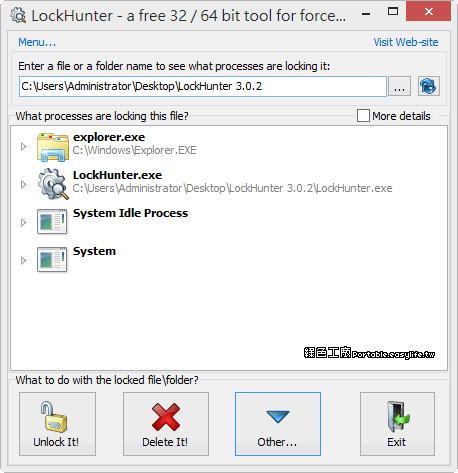
安裝LockHunter後,就可以很簡單的解決Lock檔案,只要在無法開啟或刪除的檔案上右鍵「What is locking this file?」 就可以查看是被什麼程式咬住了,你可以選擇直接刪除這個檔案「Delete It!」,也可以看是什麼程式在使用中去關閉程式再刪除,或是先Unlock It就可以執行檔案等等。 另外也可以直接開啟「LockHunter」然後再去選擇被鎖定的檔案。
LockHunter is useful for fighting against malware, and other programs that are blocking files without a reason. Unlike other similar tools it deletes files into the recycle bin so you may restore them if deleted by mistake.